
Dr. Evans Clinic
Patient: Emily S.
Amlodipine, 1 daily
Find
Type a word from the paper. Exact, Similar and AI Search modes find photos, screenshots and PDFs together.
SniffDoc is a private document search app for Android. It reads the words inside your photos, screenshots and PDFs, so the prescription, licence or Aadhaar copy is one search away. Also known as Sniff Doc.
Nothing is uploadedWorks offlineFree on Google Play

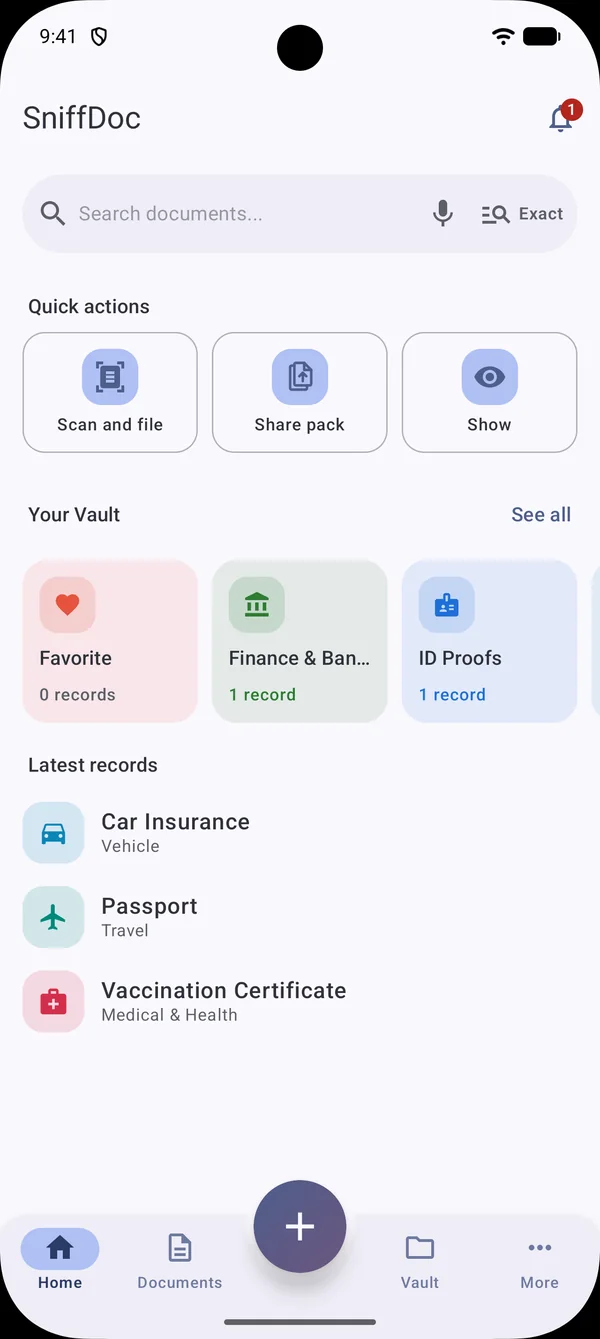
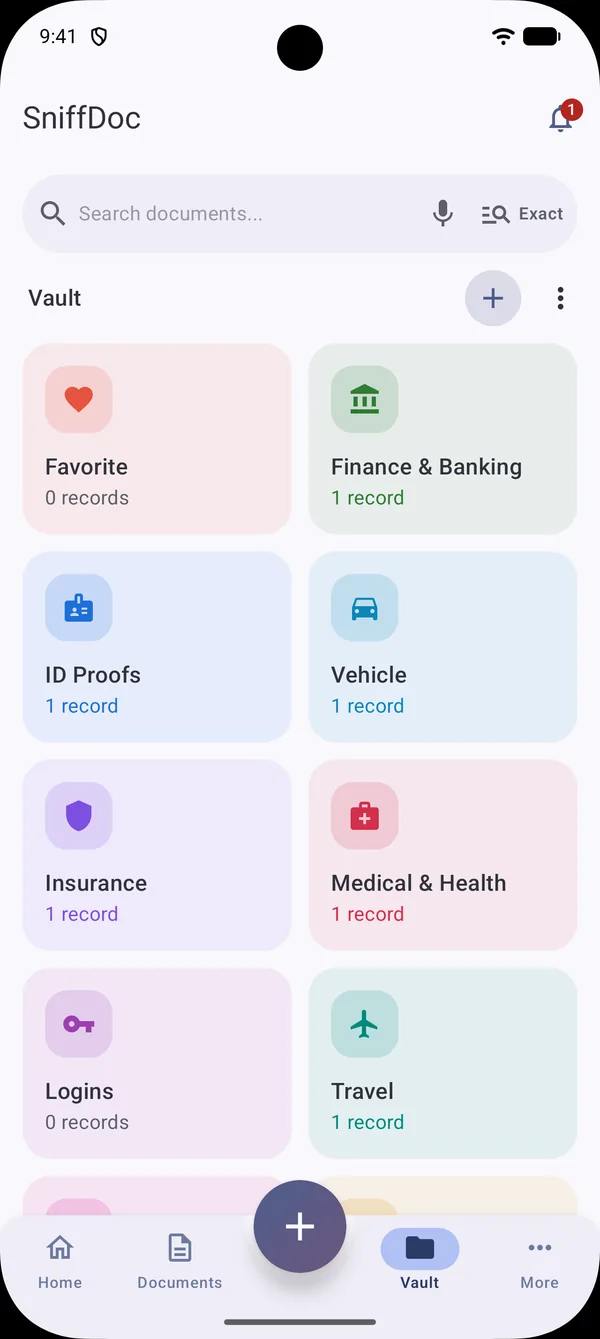
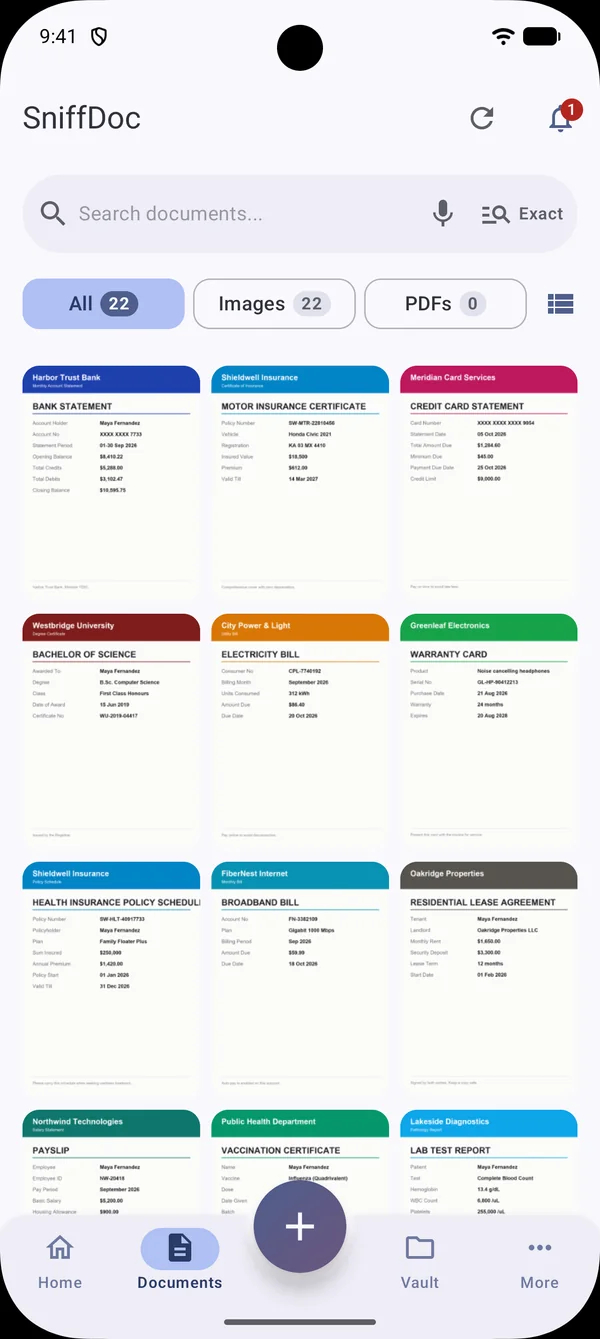
Three jobs that used to sprawl across your gallery, chat apps and downloads. SniffDoc keeps them in one calm place on your phone.
Patient: Emily S.
Amlodipine, 1 daily
Type a word from the paper. Exact, Similar and AI Search modes find photos, screenshots and PDFs together.
Valid to 02 Jan
A private Vault for IDs, policies and licences, with expiry reminders and optional app lock.
3 pages, signed
Share pack makes one tidy PDF, shrinks it for upload forms, and adds a watermark and your signature.
Sample labels shown for illustration. SniffDoc is not affiliated with any government body.
Start with the moment
Most people open SniffDoc with one paper in mind. Pick the closest match and read how it works in a real situation.
Name, number, photo
Most common search
The bank is waiting and you know you have it somewhere.
Type your name or a word from the card. SniffDoc lists the image and the PDF together, and Share pack adds a watermark such as For KYC only.
Read the story →You need it at the counter, not tomorrow.
Search the doctor, clinic or medicine name.
The desk asks for it, the card is at home.
Find the photo by licence number and set an expiry reminder.
The job call comes at four, the deadline is six.
Gather them into one PDF in minutes.
The queue is moving and your thumb is scrolling.
Search the airline, city or PNR. Works offline.
SniffDoc searches files you already have. It does not issue documents and is not a government app.
Answers first
Most people arrive with a question, so that is where we start. The guides, stories and size tools are free to read and use on this site. The app comes second.
Candidate: Ryan Evans
Roll No. 204118
Try it
Type into the box. SniffDoc matches exact words, forgives typos and understands meaning, like salary for a payslip or address proof for a utility bill.
This demo uses sample documents inside the page. In the app, search runs on your own library, on your phone.
How it works
Everything happens on your phone, from the first scan to the last share.
Choose what SniffDoc can see. It reads text and sorts invoices, IDs and policies on the device. The first scan is the longest.
Type a name, number or word. Similar mode forgives typos. AI Search matches by meaning.
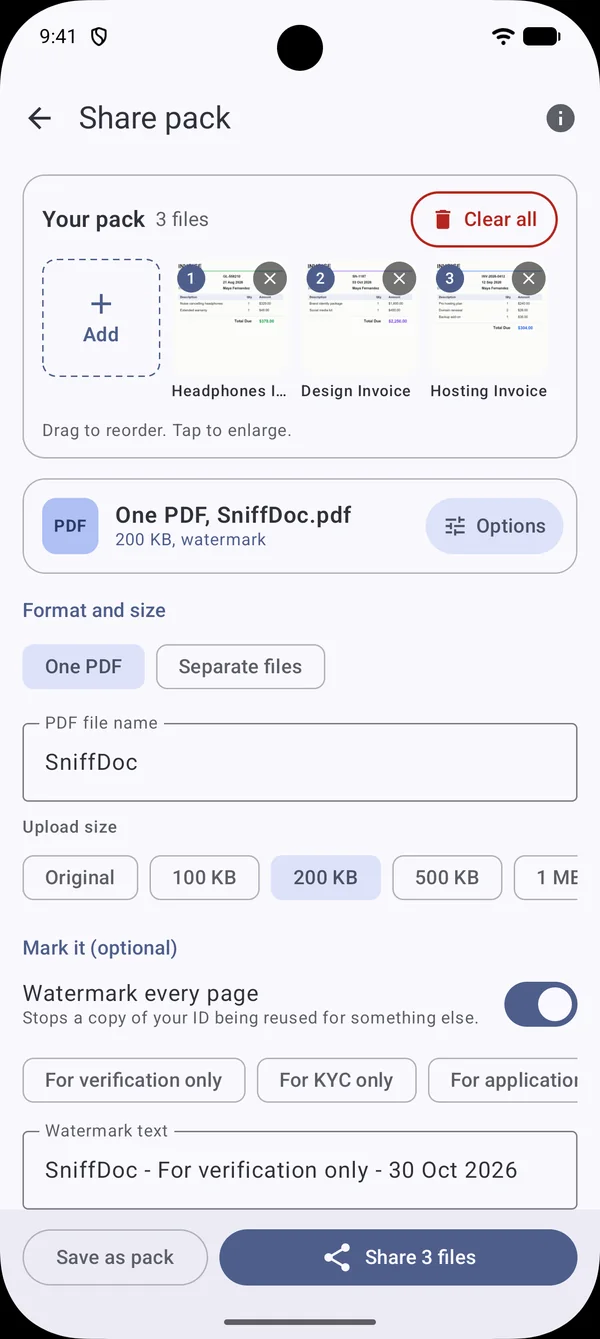
One PDF, the right size, with a watermark and your signature. Your originals never change.
Show, Vault and backup
One home for the records you keep needing, with the controls that matter when someone else is looking at your screen.
Hold up an ID or Emergency card full screen at full brightness. Screenshots are blocked and it closes by itself after a minute.
Numbers, dates and files in folders, with a reminder before a licence, policy or passport expires.
Optional backup to your own Google Drive, locked with a passphrase only you know. Part of SniffDoc Pro.
Moments
“Medical shop, 9 pm, no prescription in hand. I typed the doctor's name and the photo was there.”
Example: buying medicine for a parent
“The rental desk asked for my licence number. Two taps and I had the picture.”
Example: a traveller
“The portal wanted under 200 KB. Share pack did it and the text was still readable.”
Example: a loan applicant
“My Vault told me the policy was ending next month. That alone was worth it.”
Example: a parent managing family papers
“It finds PDFs too, which my gallery never did.”
Example: someone with hundreds of downloads
“It works with no internet. That mattered at the airport.”
Example: a traveller with a weak signal
These are written examples based on common situations, not customer reviews. Real ratings are on the Google Play listing.
Privacy first
Most document apps ask you to upload everything. SniffDoc does the reading on your phone instead, so there is no cloud copy to leak.
FAQ
Yes. SniffDoc was built for exactly this. Your photos, PDFs and the text read from them are processed on your phone and stay on your phone. There is no SniffDoc server that receives your files, and nobody at SniffDoc can see them.
No. Reading the text in an image, recognising what kind of document it is and building the search index all happen on your device. Your files, their text and their thumbnails are never uploaded.
It looks through the photos and PDFs on your phone, works out which ones are documents (ID cards, invoices, payslips, insurance papers, driving licences and so on), and lets you find them by typing a name, a word or a number that appears on them. You can also keep important records in the Vault, organised in folders.
Yes. Scanning, search, viewing your documents and the Vault are free. The free version may show a small banner ad, never on the setup screens. A few extras have free limits and are part of the optional SniffDoc Pro purchase; see the next answers.
Choose Get SniffDoc Pro under More. It is a one-time purchase with lifetime access, not a subscription, and the price is shown in the purchase sheet before you buy. It removes ads and lifts the free limits. Signed in with the same Google Play account, you can restore it on a new phone.
Yes. Choose the Vault option on the first screen. You can use the Vault, and you can allow photos later from More, Access, whenever you want document search.
Get a second opinion from the assistant you already use. Each button opens a new chat with the question ready to go.
Install SniffDoc free on Android. It reads your photos and PDFs on your phone, so every important paper is one search away.